

DocsResearch
Competitors & watchlists
Group the channels you want to follow into watchlists and compare their public numbers in one table.
Real screenshot of the app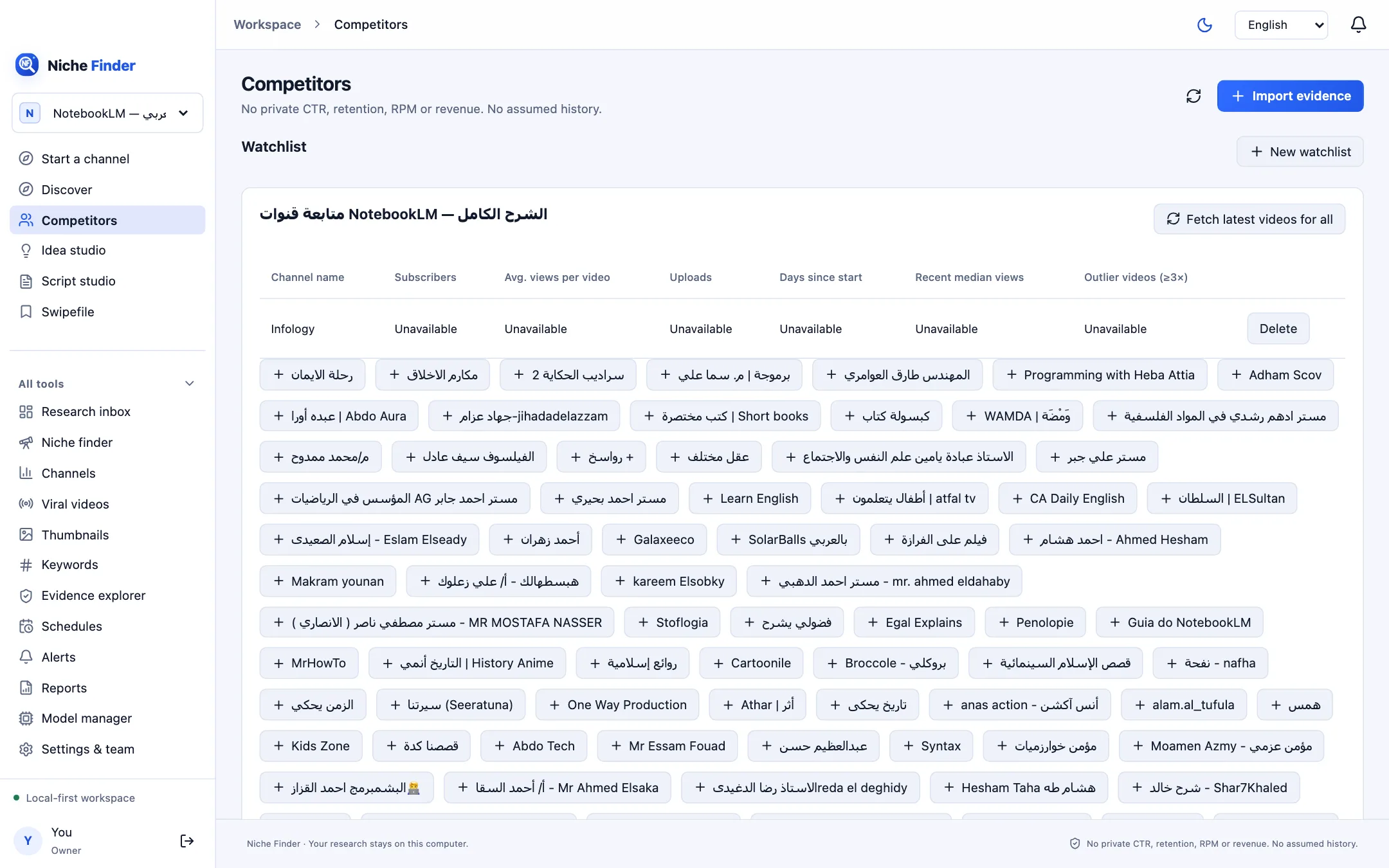
Build a watchlist
- Open Competitors (⌘/Ctrl+3) and click “New watchlist”. Give it a name.
- Below the table, click a channel chip (+ channel name) to add a channel from your saved research.
- Click “Fetch latest videos for all” to fetch recent public uploads for every channel in the list through the official API. This needs your API key.
The comparison table
- Channel name and Subscribers.
- Avg. views per video, Uploads and Days since start.
- Recent median views and Outlier videos (≥3×).
A channel added from a page you saved manually may show “Unavailable” in every column until its uploads are fetched or imported. If a channel was saved without its official YouTube ID, its uploads cannot be fetched through the API.
Public numbers onlyFollowing a channel is not permission for private collection and not a forecast of anyone’s revenue. The table compares only public, observed values.