

DocsResearch
Discover
Discover searches everything you have saved in this workspace and lets you narrow it down with research filters, or run an official search when you have a key.
Real screenshot of the app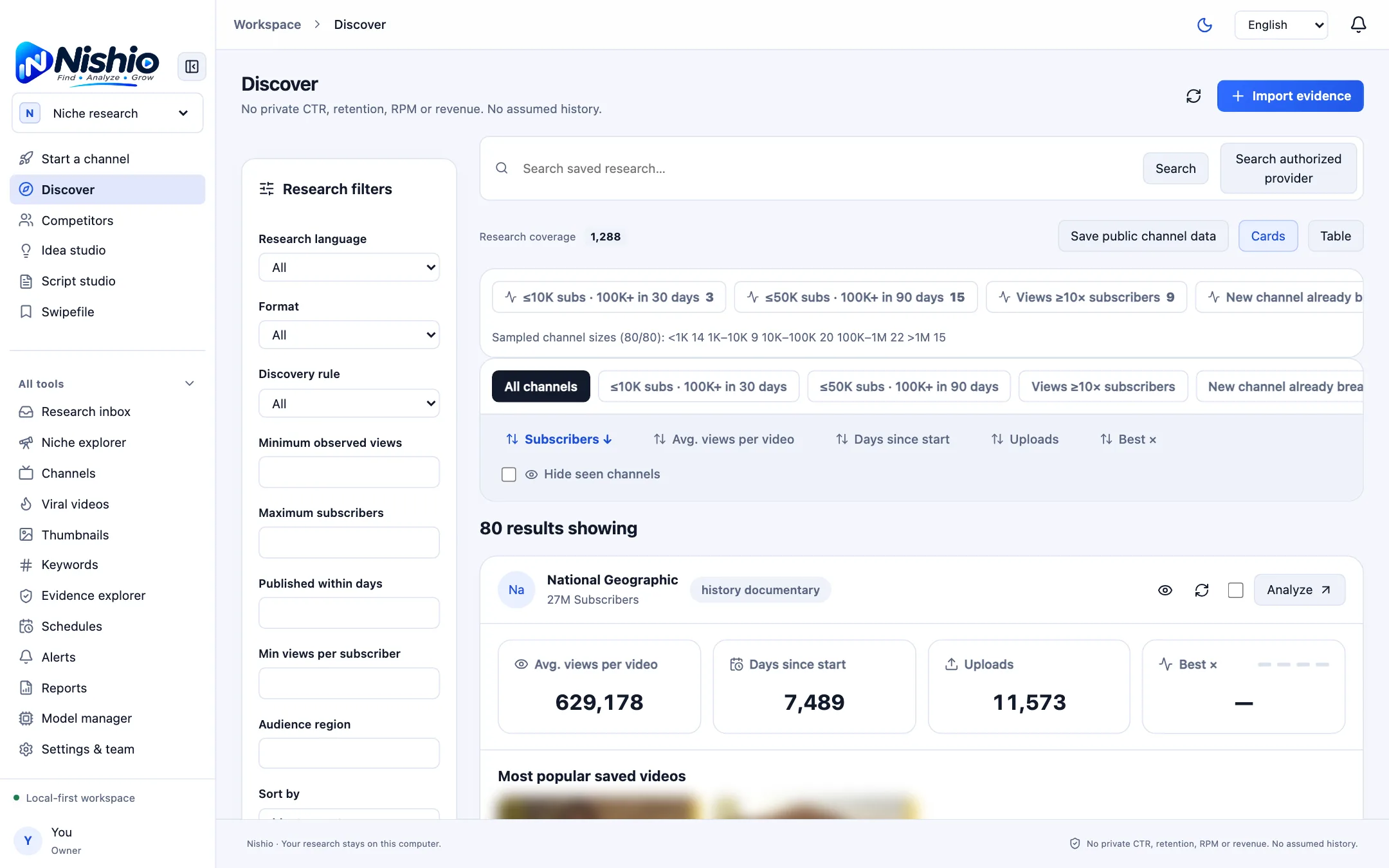
Search your saved research
- Type a word or phrase in “Search saved research…” and click Search.
- Switch between Cards and Table views at the top right of the results.
- “Research coverage” shows how many saved records the current view draws on.
Research filters
- Research language and Format (Shorts, Long-form or All).
- Minimum observed views and Maximum subscribers.
- Published within days and Audience region.
- Sort by, for example Most recent.
- Click “Apply filters”, or Reset. Save a combination with “Save filter preset” and reuse it from Saved filters.
Private RPM, search volume and future competition are not available as filters, because they cannot be observed from public data.
Search an authorized provider
“Search authorized provider” sends one query to the official YouTube API with your key, after you tick “I authorize this query to be sent to the configured official YouTube API.” Results are saved as dated, sourced evidence and then appear in Discover and the other research screens.
Empty at firstA new workspace has no data and Nishio never fills it with sample metrics. Use Import evidence, the Chrome extension, or an authorized search to add real observations.