

DocsResearch
Niche finder catalog
A built-in editorial catalog of well-known YouTube niches, grouped by category, format, production style and risks. It is a place to think, not a source of metrics.
Real screenshot of the app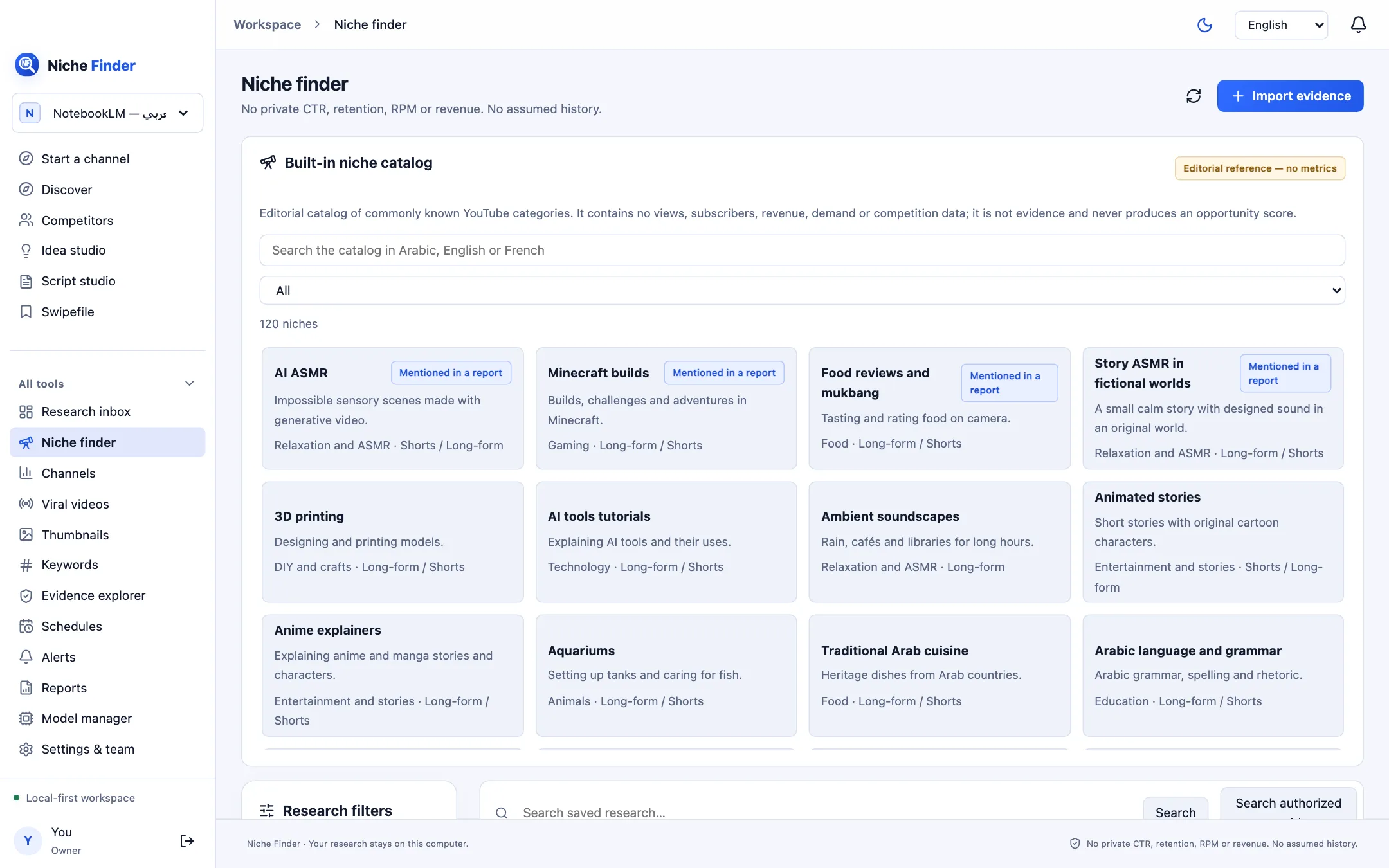
Browse the catalog
- Open All tools → Niche finder.
- Search the catalog in Arabic, English or French, or pick a Category such as Education, Technology, Gaming or Relaxation and ASMR.
- Each card shows the niche, a one-line summary, its category and the formats it suits (Long-form / Shorts). Some carry a “Mentioned in a report” badge.
- Click a card to open its details.
Inside a niche
- Formats, production modes and risk tags, for example Synthetic content disclosure, Music copyright, Health claims or Made for kids.
- “Signals from published reports”: links to public sources that mentioned the niche, with publisher and date.
- “Videos and channels in this niche”: “Videos on YouTube” and “Channels on YouTube” links that open a normal YouTube search, “Search my research” to filter your own saved data, and “Official search and save results” to run an authorized search.
- “Starter video suggestions”: creative suggestions from local templates.
Editorial reference — no metricsThe catalog contains no views, subscribers, revenue, demand or competition data, and never produces an opportunity score. A signal means a public source mentioned the niche on that date; it does not mean it is popular or profitable. Nishio does not name “popular” channels from memory.
Next stepOnce a niche looks interesting, take it to Start a channel, or run the official search so real videos and channels are saved with their observed numbers and links.