

DocsResearch
Viral videos
Find saved videos that performed far above their own channel’s usual level, and check the comparison behind every ratio.
Real screenshot of the app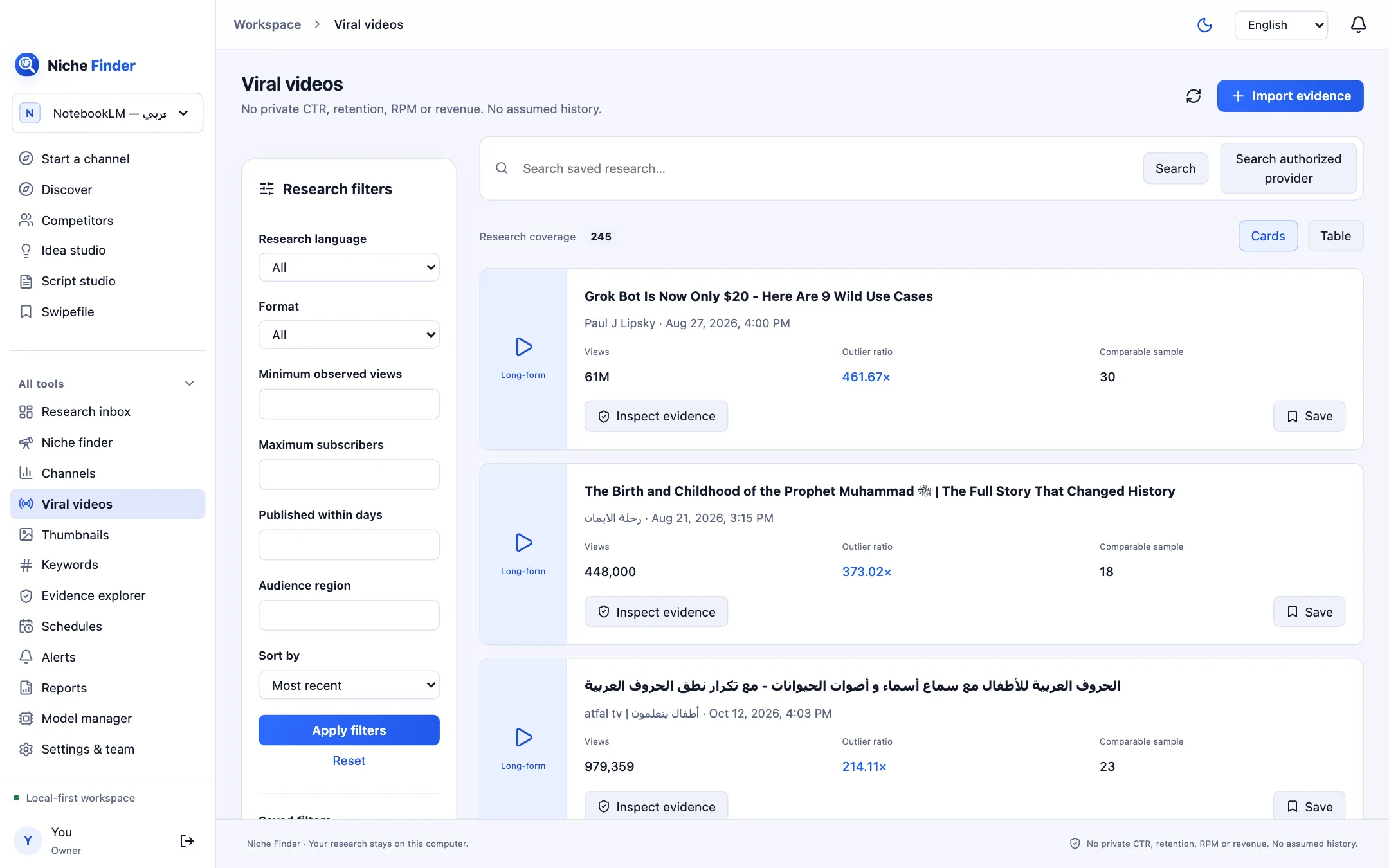
How the outlier ratio works
The Outlier ratio compares a video’s views with the median views of other videos from the same channel and the same format. A value such as 3× means three times that channel’s usual level. The comparison needs at least 8 other comparable videos; with fewer, the card says “Insufficient evidence” instead of showing a number.
Use the screen
- Apply the research filters (language, format, minimum observed views, publication window) to focus the list.
- Read each card: Views, Outlier ratio and Comparable sample.
- Click “Inspect evidence” to see the source, observation time and the median used.
- Click Save to keep a video in your Swipefile.
What to look at
- The size of the comparable sample and when it was observed.
- Video age: an older video has had more time to collect views.
- Abbreviated titles and missing fields that may affect the comparison.
Look for angles, not copiesAn outlier tells you a topic or angle may be worth testing. Study why it worked, then make your own original version.