

DocsResearch
Research inbox & today’s opportunities
The Research inbox shows “Today’s opportunities”: niches found by a daily official search, each scored only when there is enough evidence behind it.
Real screenshot of the app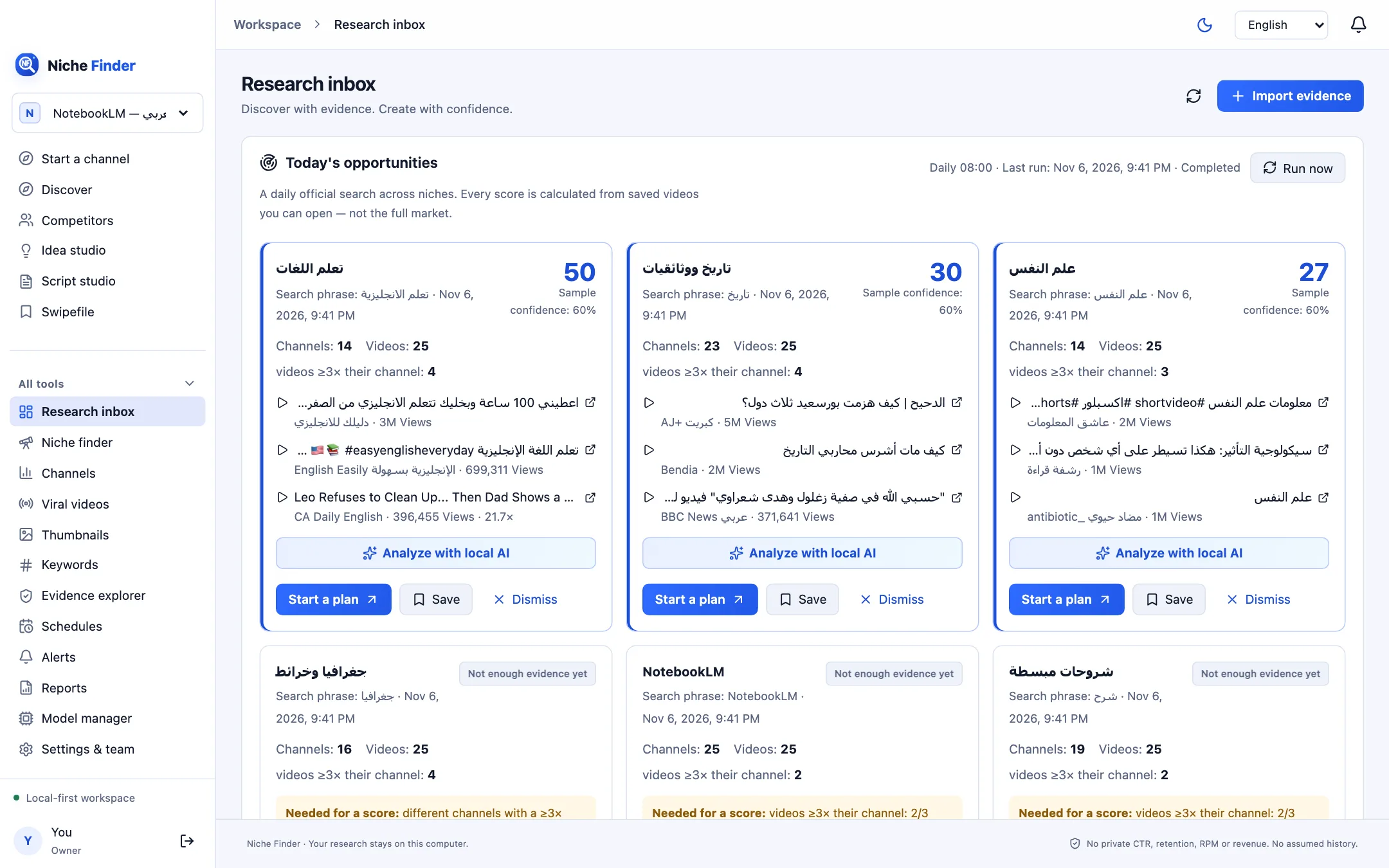
Turn on the daily search
The daily search uses your YouTube API key and quota, so only the workspace owner can enable it, and only with explicit consent.
- Add your YouTube API key in Settings & team first.
- Open Research inbox. Under “Turn on the daily niche search”, optionally add “Your topics (optional, comma-separated)”. Your topics are searched first every day, then the scan rotates through the catalog’s niches.
- Tick the consent box: a daily official YouTube Data API search with this workspace’s key, up to 15 searches per day, plus channel uploads for comparison.
- Click “Enable daily search”. It then runs daily at 08:00; use “Run now” to start it immediately.
Read an opportunity card
- The niche name, the search phrase used and when it ran.
- An “Evidence-backed score” with its Sample confidence, or “Not enough evidence yet”.
- Channels and Videos found, and how many “videos ≥3× their channel” were seen.
- The top videos behind the card, each linking to the original on YouTube with its views.
When evidence is missing, the card lists what is “Needed for a score” instead of inventing one. Typical items: different channels with a ≥3× video, comparison for small channels (under 50K subscribers) with enough videos, observations from the last 30 days, and a second view observation to measure growth, which comes with the next daily refresh.
Act on it
- “Start a plan” opens Start a channel with the niche filled in.
- “Save” keeps the card; “Dismiss” hides it.
- “Analyze with local AI” asks a local model you assigned to the “Niche analyst” task (in Model manager) to explain why the niche appears, suggest 3 angles for a new channel and list limits and risks. Each reason links to a real video; the numbers and the score come from the data, not the model.
When the Chrome extension is paired, the same opportunities also appear in its side panel on YouTube.
What a score meansScores are sample proxies: the last 90 days, 25 results per search, and channels compared with their own videos. They are not total demand or expected earnings.